Sora Storyboard Video Generator
Create multi-scene videos with precise timing control. Define each shot's duration and description for professional storytelling.
Storyboard Video Generator
Create multi-scene videos with precise timing control
Scene durations will be automatically redistributed when you change the total duration
Scene 1
Scene 2
上传图片
拖拽或点击即可选择文件
单张最大 10MB • JPEG、PNG、WebP、GIF
⚡ 直传 Cloudflare R2,更快更稳定
Video Preview
Your storyboard video will appear here
No Video Yet
Configure your scenes and generate a video
Multi-Scene
Create videos with multiple scenes, each with its own description and timing
Precise Timing
Control exact duration of each scene, from 0.5s to full video length
Professional Output
Generate cinema-quality videos with Sora 2 or Sora 2 Pro models
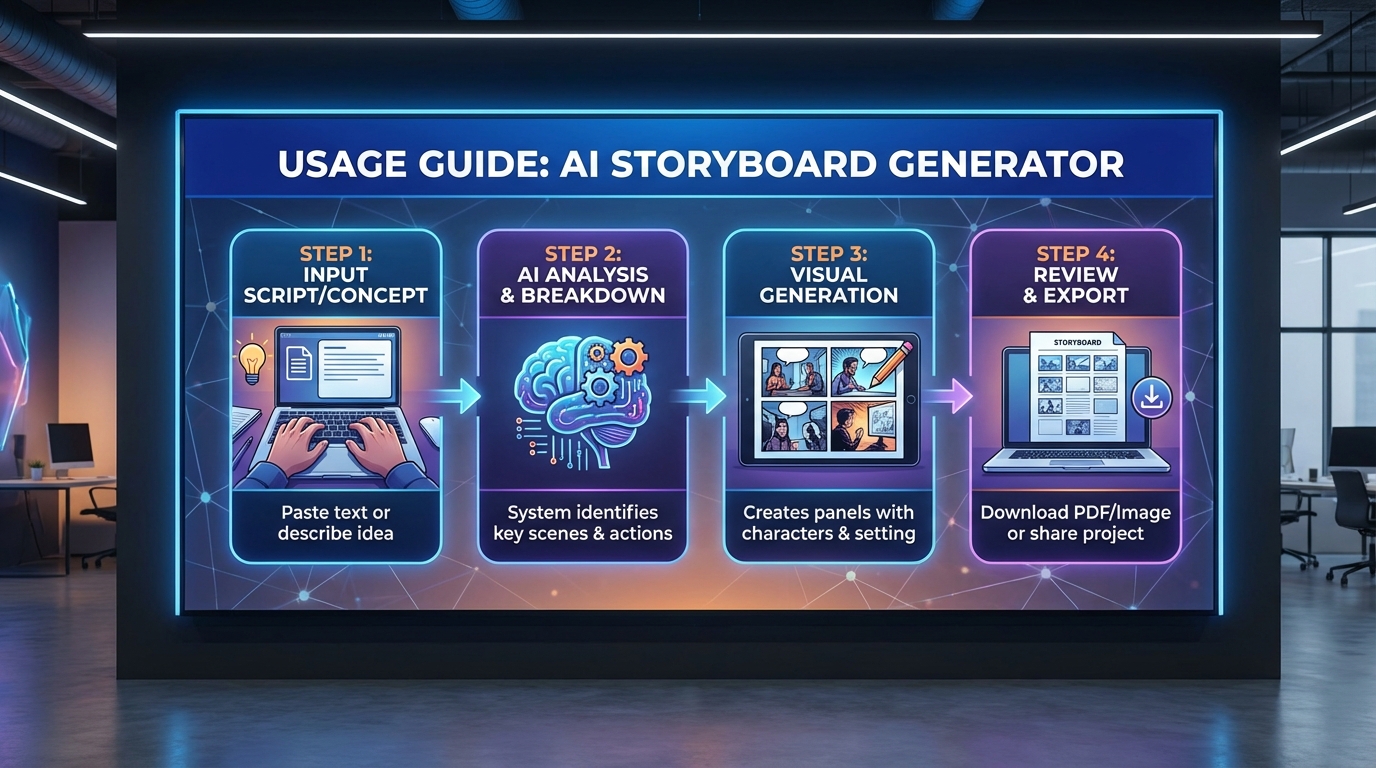
How Storyboard Generation Works
Break down your video into individual scenes with precise control over timing and content
Choose Duration
Select total video length: 10s, 15s, or 25s
Add Scenes
Create multiple scenes and describe what happens in each
Allocate Time
Assign precise duration to each scene (must total your selected duration)
Generate Video
AI creates a seamless video following your storyboard
Powerful Storyboard Features
Dynamic Scene Management
Add or remove scenes on the fly. No limit to the number of scenes you can create.
Duration Validation
Real-time feedback ensures your scene durations add up correctly to the total video length.
Model Selection
Choose between Sora 2 for standard quality or Sora 2 Pro for enhanced output.
Multiple Aspect Ratios
Support for landscape (16:9) and portrait (9:16) in both SD and HD resolutions.
Reference Images
Upload an optional reference image to guide the overall visual style.
Precise Timing Control
Control scene duration down to 0.5 second increments for perfect pacing.
Perfect For
Product Demos
Showcase features across multiple scenes with precise timing
Story Narratives
Tell complex stories with distinct scenes and pacing
Educational Content
Break down concepts into digestible scene-by-scene explanations
Marketing Videos
Create compelling ads with controlled scene progression
Frequently Asked Questions
What is storyboard format in Sora?
Storyboard format allows you to define multiple scenes in a single video, each with its own description and duration. The format is: "Shot 1:\nduration: 5sec\nScene: description" for each scene.
How many scenes can I create?
There is no hard limit on the number of scenes. However, the total duration of all scenes must match your selected video length (10s, 15s, or 25s).
What's the minimum and maximum scene duration?
Each scene can be as short as 0.5 seconds or as long as your total video duration. The system validates that all scenes add up to the exact total.
Do I need a reference image?
No, reference images are optional. They can help guide the visual style across all scenes but are not required.
What video durations are available?
You can choose 10s or 15s with Sora 2 model. The 25s duration is only available with Sora 2 Pro model.
What's the difference between Sora 2 and Sora 2 Pro?
Sora 2 supports up to 15s videos with standard definition (1280x720 or 720x1280). Sora 2 Pro supports up to 25s videos and offers both SD and HD resolutions (1792x1024 or 1024x1792) with enhanced quality.
How much does storyboard generation cost?
Sora 2 costs 20 credits per video, while Sora 2 Pro costs 40 credits. The price is the same as regular video generation.
Ready to Create Multi-Scene Videos?
Start building professional storyboard videos with precise scene control